How to change the "All" tab on a Squarespace 7.1 shop page
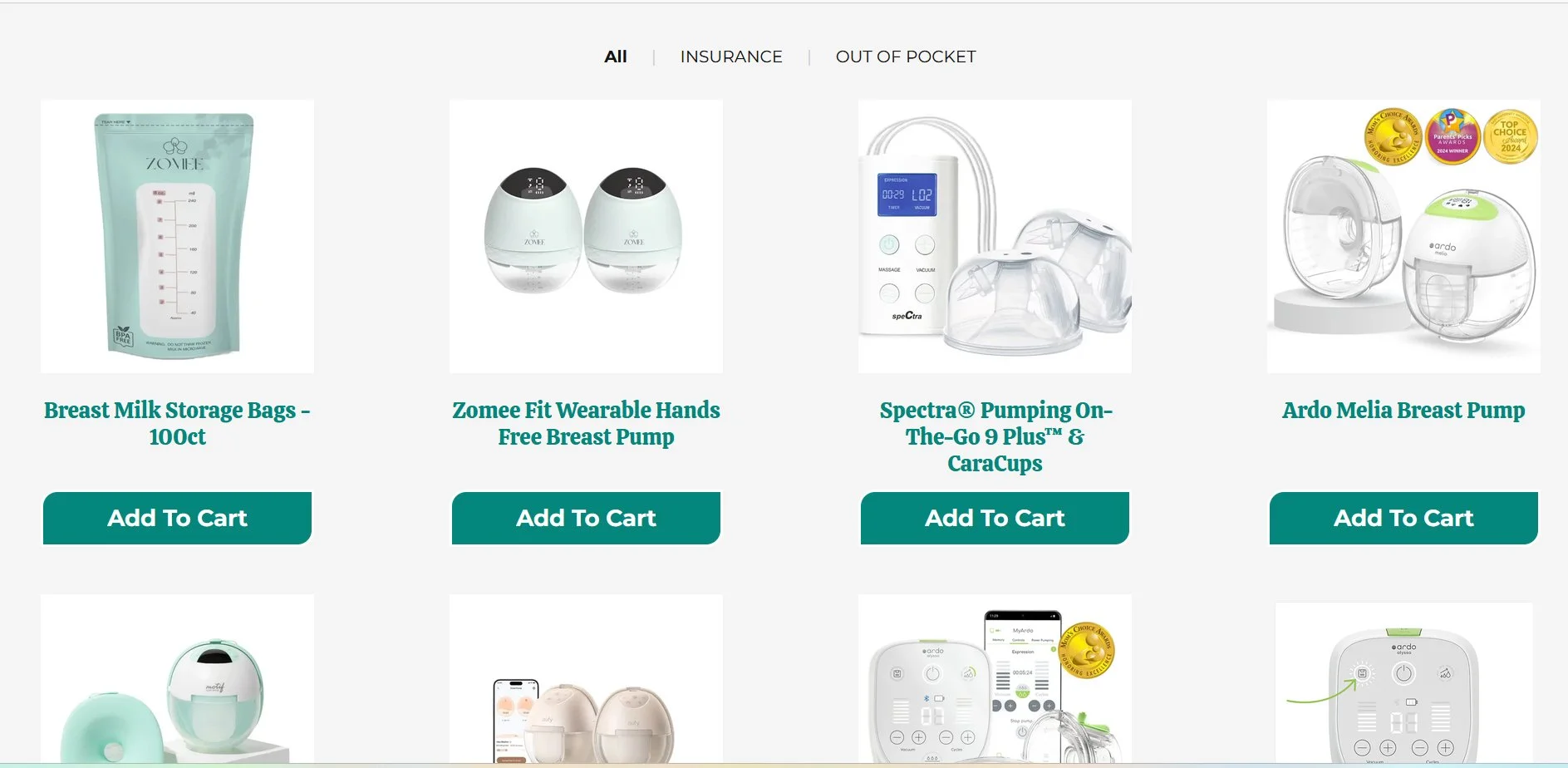
If you're using categories on your Squarespace 7.1 Shop page, you've probably noticed that the first filter tab is always labelled "All."
While this works well for most stores, it doesn't always fit your brand. Perhaps you'd prefer to call it Products, Collections, Shop All, Browse, or something more descriptive.
Unfortunately, Squarespace doesn't provide a built-in setting to rename this tab.
The good news is that with a small JavaScript snippet, you can easily change the text without affecting any of your shop's functionality.
In this tutorial, I'll show you exactly how to do it.
Table of Contents
Why Change the "All" Tab?
Renaming the All tab can help your shop feel more consistent with your branding.
For example:
Products
Shop All
Browse All
Our Collection
Everything
View All
It's a small change that can make your navigation feel more polished and intuitive.
Step-by-step instructions
Step 1: Add the JavaScript
Add this code to:
Custom Code → Code Injection → Footer
<!-- Copyright Primitus Consultancy -->
<!-- Change the All Tab on a Squarespace 7.1 Shop Page -->
<script>
document.addEventListener("DOMContentLoaded", () => {

  // Change the text displayed on the "All" tab
  const PC_NEW_TAB_NAME = "PRODUCTS";

  // Rename the Shop "All" tab on desktop and mobile
  function PC_RenameShopAllTab() {

    // Desktop navigation
    document.querySelectorAll("button, a, span").forEach(element => {
      if (element.textContent.trim() === "All") {
        element.textContent = PC_NEW_TAB_NAME;
      }
    });

    // Mobile dropdown
    document.querySelectorAll(".product-filter-dropdown-select option").forEach(option => {
      if (option.textContent.trim() === "All") {
        option.textContent = PC_NEW_TAB_NAME;
      }
    });

  }

  // Rename the tab when the page first loads
  PC_RenameShopAllTab();

  // Monitor the page for Squarespace's dynamic updates
  const PC_ShopTabObserver = new MutationObserver(PC_RenameShopAllTab);

  PC_ShopTabObserver.observe(document.body, {
    childList: true,
    subtree: true
  });

});
</script>
Step 2: Change the Tab Name
This line controls the new text:
const PC_NEW_TAB_NAME = "PRODUCTS";Simply replace Products with your preferred label.
For example:
const PC_NEW_TAB_NAME = "BROWSE PRODUCTS";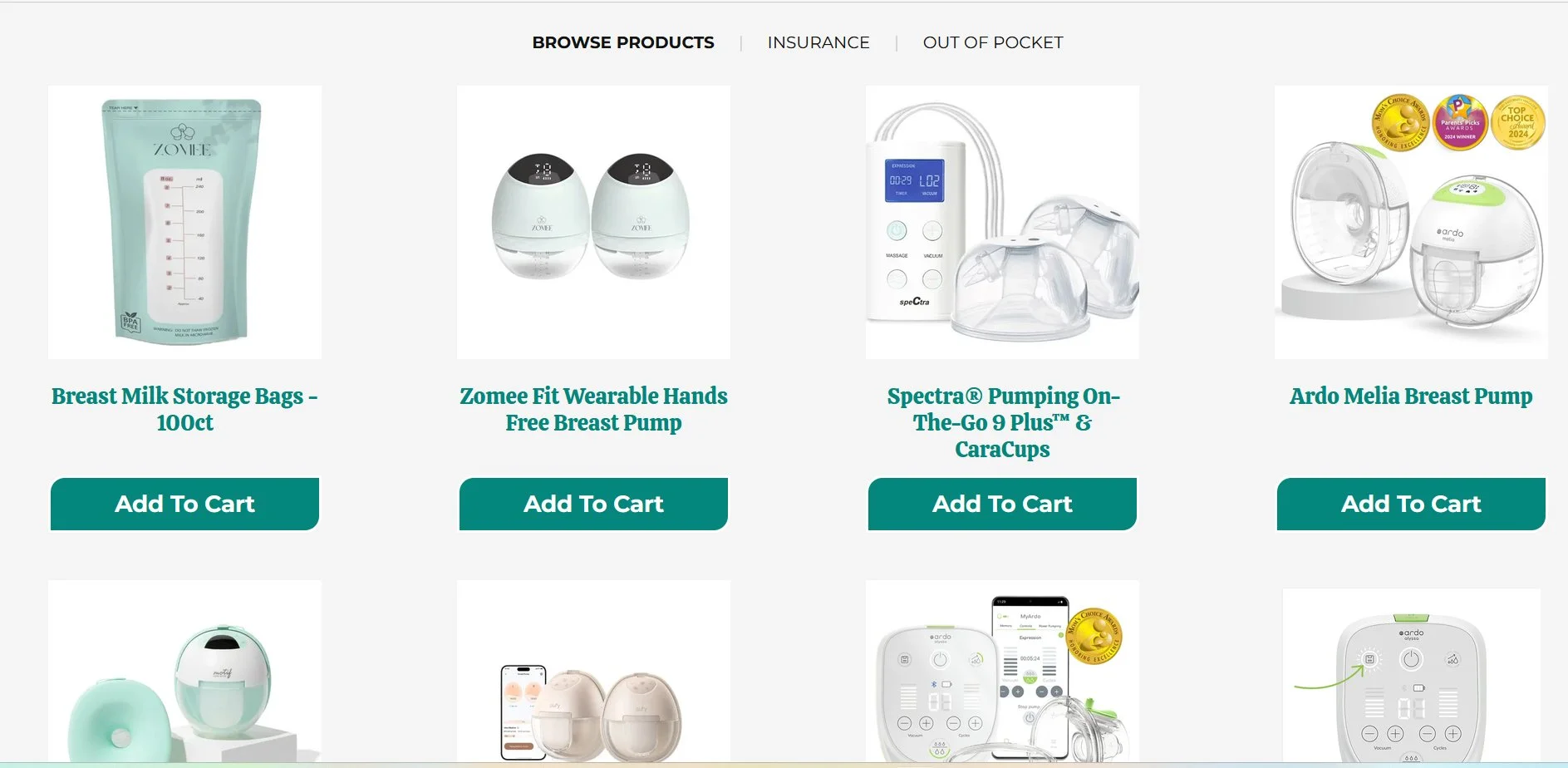
Desktop Update
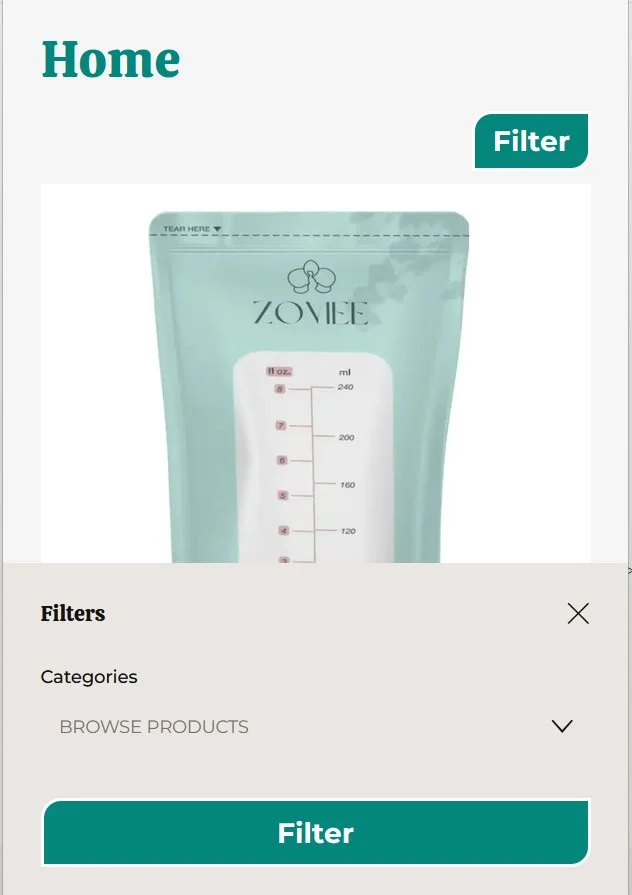
Mobile update
Key Takeaways
Rename the default "All" tab on your Squarespace 7.1 Shop page with a simple JavaScript snippet.
No plugins or third-party extensions are required—just add the code to your Shop page's Code Injection area.
Choose any label you like, such as Products, Shop All, Collections, or Browse.
The script preserves all functionality, changing only the visible text while the tab continues to display all products.
The solution is easy to customise, requiring you to edit just one line of code to change the tab name.
Compatible with Squarespace 7.1 and ideal for stores using category navigation tabs.
A small branding improvement that creates a more polished, professional shopping experience for your visitors.
FAQs
Will this work on Squarespace 7.1?
Yes. This script is designed specifically for Squarespace 7.1 Shop pages that use category navigation tabs.
Will this change the functionality of the "All" tab?
No. The script only changes the visible text. The tab continues to function exactly as before by displaying all products.
Can I use any text I want?
Yes. Simply change: const PC_NEW_TAB_NAME = "Products"; to any label you'd like, such as:
Shop All
Browse
Collections
Everything
Our Products
Does this affect SEO?
No. The script only changes the text displayed to visitors. It does not affect your product URLs, page structure, metadata, or search engine rankings.
Where should I add the code?
For best results, add the script to the Page Header Code Injection area of your Shop page. This ensures the code only runs where it's needed.
Will this continue to work if Squarespace updates the page dynamically?
Yes. The included MutationObserver detects when Squarespace refreshes the page content and automatically renames the tab again, making the solution much more reliable than older one-time scripts.
Conclusion
Although Squarespace doesn't currently offer a built-in option to rename the All category tab, this lightweight JavaScript solution provides a simple and reliable workaround.
Whether you'd like the tab to read Products, Shop All, or something completely unique, the script takes only a few minutes to implement and will continue working even when the shop navigation updates dynamically.
If you're looking to add a more personalised touch to your online store, this is one of those small customisations that can make a noticeable difference.
If you have any questions or need any help with your Squarespace website design, you can book a 1:1 consultation.






















All work in this guide is provided ‘as-is’. Other than as provided this guide makes no other warranties, expressed or implied, and hereby disclaims all implied warranties, including any warranty of fitness for a particular purpose.
If you require professional advice, you can book our consultation services.